


AI Song Generator - Mozart
4.21.78K Reviews
App Specs
- Version
- 9.6.0
- Updated On
- License
- Free
- Downloads
- 1,000,000+
- Developer
- NineG
- Categories
- Music & Audio
- Platform
- Android, iOS
Screenshots
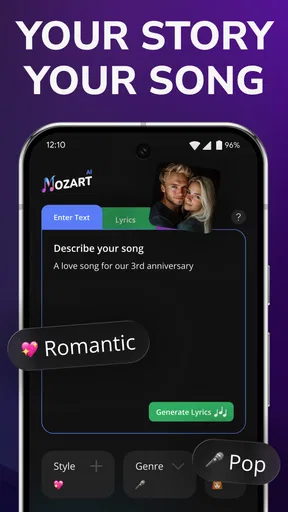
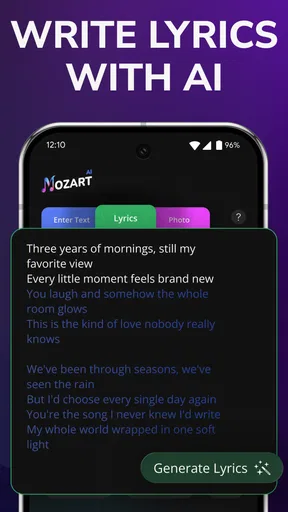
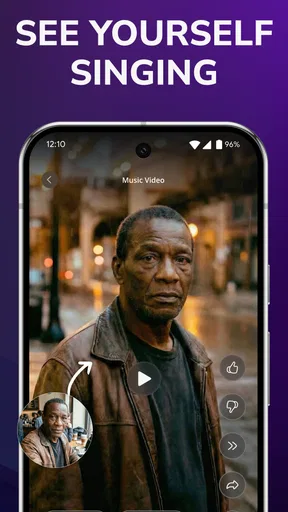
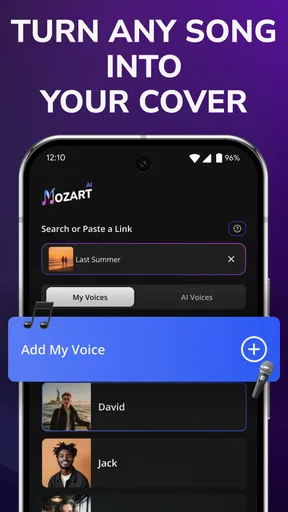
 Analysis by AppCompare
I like the idea of a music-making app that lets me start with a feeling instead of a blank timeline. AI Song Generator - Mozart AI is built around that approachable entry point: choose a direction, hear what the generator comes up with, then decide whether you want to keep experimenting. It is a free music and audio app from NineG, and its focus on AI-created songs, vocal removal, and voice covers makes it more of a creative sketchpad than a traditional recording studio.
What the free starting point means
The app is free to install, which makes it easy to try without committing money up front. It also offers in-app purchases ranging from $1.99 to $119.99 per item, so the free starting point and the potential cost of paid extras are worth considering separately. I would explore what is available at no charge first, then decide whether a paid option solves a specific need rather than buying simply because a feature looks interesting.
That price range is broad enough that I would check the purchase details carefully before confirming anything. The figures describe individual in-app items, not a promise that every useful tool requires payment or that one purchase unlocks everything. If you only want to test a few musical ideas for fun, free access may be all you need. If you expect to use the app repeatedly, the value depends on which capabilities matter to you and what each purchase actually includes.
First Impressions and Getting Started
When I first opened AI Song Generator - Mozart AI, I was welcomed by a sleek and intuitive interface. The design is minimalistic, which I totally appreciate because it means less time trying to figure out where everything is and more time creating. The app promises to turn anyone into a composer, and honestly, it doesn’t disappoint.
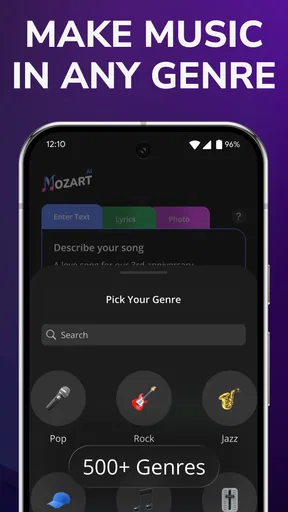
Getting started is as simple as pie. You can begin by selecting a genre or mood for your song. Whether you’re in the mood for something upbeat or a bit more mellow, the app has you covered. There’s a wide range of options that cater to different tastes, from pop to classical and everything in between. I decided to go for a jazzy vibe, and the app immediately started generating some cool, smooth tunes.
Creating Your Masterpiece
Once you’ve picked your genre, it’s time to dive into the actual song creation. This is where the magic happens. The app uses advanced AI algorithms to compose music that sounds surprisingly human. You can tweak various elements like tempo, key, and instruments to suit your preference. It’s a bit like having a professional composer sitting with you, helping bring your musical ideas to life.
One feature I loved was the option to add multiple layers to your track. You can easily incorporate different instruments, and the app does a fantastic job at ensuring everything harmonizes beautifully. I had a blast experimenting with different combinations, and before I knew it, I had a full track ready to go.
Worth Reading Before You Choose

Flipboard Shows What News Apps Must Do Beyond the Feed

Switching to Android Auto Means Rethinking Your Driving Routine

Google Calendar Makes a Crowded Week Easier to Manage

Ludo King Makes the Most of the Minutes Between Plans

Baby Panda World Brings Quick Play to Modern Phones, but Its Game Library Feels Busy

ESPN’s Live Game View Makes Following Close Games Easier
Making a useful first draft
For me, the best way to approach a generator is to treat the first result as a starting point, not a finished composition. I would try one clear mood at a time, listen for the parts that work, and then adjust only a couple of elements before generating or refining further. Changing the tempo, key, and instrumentation all at once can make it difficult to tell which choice improved the track.
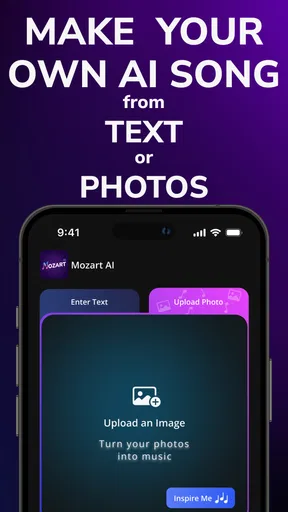
This makes the app particularly handy when I have a small creative prompt but no melody yet. For example, I might want a light background cue for a short video, or a playful musical idea to send to a friend. I can use a mood and genre to get moving, then decide whether the result needs a different pace or a more suitable instrument blend. The practical win is getting past the empty-page feeling; the trade-off is that a generated idea may still need human editing before it feels personal.
I would also save or export a version before making a major change, if the app’s available workflow allows it. That gives me a reference point when comparing a quieter arrangement with a busier one. It is a simple habit, but it helps keep experimentation intentional rather than turning into a string of changes where the original spark gets lost.
Where it fits beside other music tools
Compared with a conventional digital audio workstation, this app’s appeal is speed and approachability rather than detailed control over every recording and production decision. A DAW is usually the better choice when I want to record live instruments, edit a performance note by note, or build a carefully arranged release. Mozart AI makes more sense when I want to explore a musical direction without first learning a complicated production workflow.
It also serves a different purpose from a streaming service. Streaming helps me discover and listen to finished songs; a generator gives me a way to make a new draft from a prompt-like choice of style or mood. Neither replaces the other. If I already know exactly how I want a track to sound, a conventional composition or recording tool may give me more predictable control. If I only have a rough idea, the app’s quick generation can be a useful way to test it.
The same distinction matters for vocal tools. Vocal removal and voice covers are part of the app’s stated focus, but I would think carefully about the intended use before building a project around them. A quick personal experiment is different from preparing material for public distribution, where rights, consent, and platform rules can matter. The feature label alone is not a reason to assume every source or use is appropriate.
Fine-Tuning and Sharing
After you’ve created your track, AI Song Generator - Mozart AI offers a variety of tools to refine your masterpiece. You can adjust volume levels, add effects, and even change the arrangement of the song. The app provides a comprehensive toolkit that’s user-friendly, even for those who might not have a deep understanding of music theory.
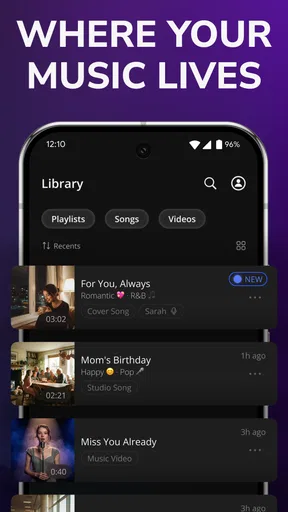
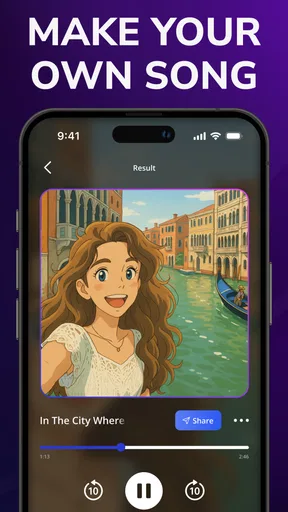
Once you’re satisfied with your creation, sharing it is just a tap away. The app allows you to export your song in various formats, making it easy to share your work on social media or collaborate with friends. There’s something incredibly rewarding about putting your creation out into the world, and this app makes it a breeze.
Small workflow choices that matter
When a track is meant to sit under speech, I would listen for how busy the arrangement feels rather than judging it only as a standalone song. A melody that sounds lively on its own can compete with a voice-over, while a simpler version may leave useful space. Trying a calmer mood or reducing the number of layers is a practical way to see whether the generated music suits the job.
For sharing, I would keep a copy of the version I like before trying extra effects or arrangement changes. That is especially useful if I am making several variations for different contexts, such as a short clip and a longer background bed. The app’s export options make passing a result along convenient, but an exported track is not the same thing as an editable project in a full production suite. Anyone who expects detailed handoff controls should check that the app’s output fits their next step.
A related question is whether the results are ready for commercial use. I would not infer usage rights from the ability to export or share a song. Before publishing a track for a business, monetized video, or other public project, I would review the app’s current terms and any rules that apply to the source material and voice features. That is a sensible check for any tool that helps create or transform music.
Who is likely to enjoy it
I think the app is a good fit for curious beginners, casual creators, and people who want musical sketches without making a full production setup their first hurdle. It can also be useful for someone who likes to try contrasting moods and instrument combinations before choosing a direction for a larger project. Its Everyone content rating makes it broadly accessible, though that does not mean every feature or purchase will suit every user.
A realistic everyday use would be making a quick background idea during a break: I could choose a mood, listen to a draft, and see whether it fits a small video or a personal project. If it does, I can refine and export it; if not, I have still learned which direction feels wrong. That is a modest but worthwhile benefit, particularly when the alternative is spending time setting up a more complex music program for a one-off idea.
I would skip it if my main goal were precise multitrack recording, detailed mixing, or complete control over every musical decision. I would also choose a standard audio editor if the task were primarily to cut, clean, or arrange recordings I already have. Mozart AI is most compelling when the starting point is an idea to generate, not a finished performance that needs professional post-production.
Audience, updates, and expectations
NineG’s app has an average rating of 4.4 from around 65,000 ratings, with roughly 1,100 written reviews and over a million installs. Those figures suggest that many people have tried it, but I would treat ratings as context rather than proof that it will match my taste. Music is personal: a sound that feels inspiring to one person may feel generic to another, and the best test is whether the workflow helps you create something you actually want to use.
The app was released on October 8, 2024, and its current version is 9.2.9. It requires Android 7.0 or later, so I would check compatibility before planning a project around it. Because creative apps can change as they are updated, I would also confirm that the tools and purchase choices I care about are still presented the way I expect when I install it.
The Verdict
Overall, AI Song Generator - Mozart AI is a fantastic tool for anyone looking to dip their toes into the world of music creation. Whether you’re a complete novice or someone with a bit more experience, the app offers something for everyone. It’s easy to use, packed with features, and most importantly, it’s a lot of fun.
If you’re curious about music production and want to explore your creative side, give this app a try. Who knows, you might just discover your inner Mozart!
My practical recommendation is to start free, make a few small experiments, and judge the results against a real project you care about. If you enjoy shaping generated ideas and the tools fit your needs, paid options may be worth considering after checking each item’s cost and contents. If you need exact control, reliable professional editing, or clearly established rights for commercial release, a dedicated production tool and a careful review of its terms are the safer route. For casual invention and quick musical drafts, this is an inviting place to begin.
Pros
- Generates high-quality music compositions.
- User-friendly interface for easy navigation.
- Supports multiple music genres and styles.
- Offers real-time editing and adjustments.
- Integrates with music production software.
Cons
- Requires internet connection to function.
- Limited customization for advanced users.
- Subscription required for full features.
- Occasional lag with large compositions.
- No offline mode available.
FAQs for AI Song Generator - Mozart
What features does AI Song Generator - Mozart AI offer?
AI Song Generator - Mozart AI provides a variety of features for music enthusiasts. Users can create custom songs by choosing the genre, mood, and instruments. The app uses advanced AI to compose music that fits the selected parameters. Additionally, it offers options to edit and refine the compositions, ensuring personalized and professional-grade music creation.
Is AI Song Generator - Mozart AI user-friendly for beginners?
Yes, AI Song Generator - Mozart AI is designed with an intuitive interface that is easy to navigate, making it accessible for beginners. The app provides guided tutorials and tips to help new users understand the features and make the most of the music creation process without requiring extensive musical knowledge.
Can I export and share the music I create with AI Song Generator - Mozart AI?
Absolutely! The app allows users to export their creations in various audio formats, such as MP3 and WAV. Once exported, users can easily share their compositions on social media platforms or with friends via email and messaging apps, making it simple to showcase your musical talents.
Does AI Song Generator - Mozart AI require an internet connection to function?
While AI Song Generator - Mozart AI requires an internet connection for initial setup and updates, the core music creation features can be used offline. This means you can compose music anytime, anywhere, without needing to be connected, providing flexibility for on-the-go creativity.
What are the system requirements for installing AI Song Generator - Mozart AI?
AI Song Generator - Mozart AI is compatible with both Android and iOS devices. For Android, it requires version 8.0 and up, while iOS devices need iOS 12.0 or later. Ensure your device has at least 2GB of free storage space for optimal performance and functionality of the app.


